Desk Work and Posture in Stouffville: A Healthier Workstation, Home or Office
Long desk days can leave your neck, back and wrists aching. Setup fixes, movement habits and the warning signs that mean it's time for a Stouffville doctor.
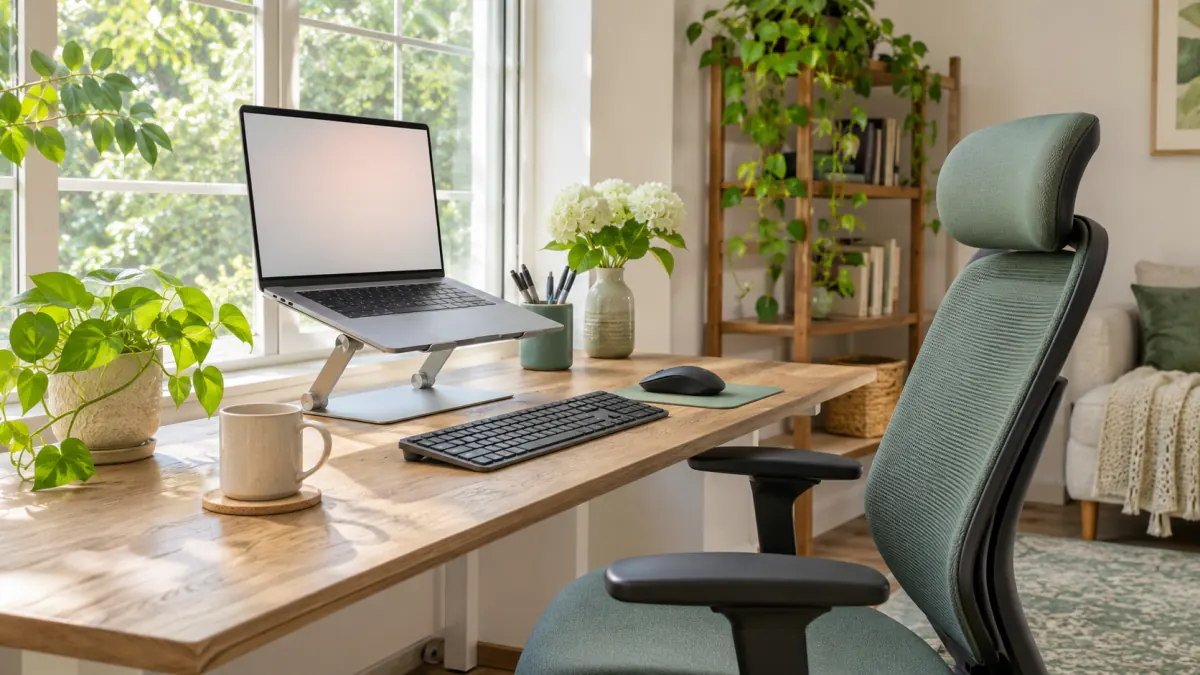
Before you read any further, notice where your shoulders are. If you are like most people reading on a screen, they have crept up toward your ears, your chin has drifted forward, and one foot is probably tucked under the chair. Let them drop. Sit back. Now you know the starting point for this article: posture is not something you set once and forget. It is something your body slides out of all day, usually without telling you, until a stiff neck or a sore lower back sends the bill.
Since hybrid and remote work became normal, many people in Stouffville split their week between an office desk and a kitchen table, a spare bedroom or a corner of the basement. Few of those home setups were designed for eight-hour days. Below is a practical look at why desk work causes pain, what a reasonable setup looks like, which habits matter more than any chair, and when pain deserves a medical assessment.
The idea of “perfect posture” is overrated
For decades people were told to sit bolt upright with a straight back, as if any slouch would ruin the spine. Research has not supported that strict view. There is no single correct position that protects everyone, and holding even a “good” position for hours can become uncomfortable. Spines are built to move.
A more useful rule: your best posture is your next one. Changing position frequently, standing up, walking a few steps and varying how you sit tends to matter more than finding a flawless angle. That said, a sensible setup makes comfortable positions easier to find and reduces the strain that builds up over long days.
What desk strain actually feels like
Desk-related discomfort tends to show up in predictable places.
| Area | Typical complaints | Common contributors |
|---|---|---|
| Neck and upper back | Stiffness, ache at the base of the skull, tension headaches | Screen too low, laptop on the lap or table, phone tucked into the shoulder |
| Shoulders | Burning between the shoulder blades, tight upper trapezius | Keyboard too high or too far away, arms reaching forward |
| Lower back | Dull ache after long sitting, stiffness when standing up | No lumbar support, perching on the front of a chair, little movement |
| Wrists and hands | Aching forearms, tingling fingers | Bent wrists, hard edges under the wrist, heavy mouse use |
| Eyes | Dryness, burning, blurred focus late in the day | Glare, screen too close, rarely blinking |
| Hips and legs | Tight hips, restless or swollen legs | Hours without standing, feet not supported |
Most of this is mechanical strain, not damage. It responds well to changes in setup and routine. A smaller group of symptoms, covered further down, needs a closer look.
Setting up your workstation, one piece at a time
You do not need expensive furniture. Work through these in order and adjust with what you have.
1. Chair and seat height
Sit all the way back in the chair. Adjust the height so your feet rest flat on the floor, or on a footrest, with your knees roughly level with or slightly below your hips. If your chair has no lumbar support, a small cushion or a rolled towel behind the curve of your lower back can help. Armrests should let your shoulders relax, not push them up.
2. Keyboard and mouse
Place the keyboard so your elbows are close to your sides and bent at roughly a right angle, with forearms about level and wrists straight. Bring the mouse right beside the keyboard so you are not reaching sideways. If your kitchen table is too high, raising your chair and adding a footrest is usually easier than lowering the table.
3. Screen height and distance
The top of the screen should sit around eye level or slightly below, about an arm’s length away. People who wear progressive lenses often need the screen a little lower so they are not tipping their heads back to read through the bottom of their glasses.
4. Laptops: the special problem
A laptop forces a choice: either the keyboard is in the right place and the screen is too low, or the screen is right and the keyboard is too high. For anything longer than short sessions, put the laptop on a stand or a stack of sturdy books and use a separate keyboard and mouse. It is the single most effective change most home workers can make.
5. Light and glare
Position the screen at a right angle to windows where possible, so daylight does not reflect off it or shine straight into your eyes. A desk lamp aimed at your papers, not the screen, reduces squinting.
6. Phone habits
Cradling a phone between ear and shoulder is a reliable recipe for a stiff neck. Use a headset or speaker for long calls. When scrolling on your phone, raise it closer to eye level instead of bending your head down.
Movement: the part that matters most
A good setup reduces load. Movement is what lets tissues recover. Try building these into your day:
- Micro-breaks. Every 30 to 45 minutes, stand up, roll your shoulders, look out the window. Even a minute helps.
- The 20-20-20 rule for your eyes. Every 20 minutes, look at something about 20 feet (six metres) away for 20 seconds, and remember to blink.
- Walk while you talk. Take phone calls standing or walking.
- Vary your position. If you have a sit-stand desk, alternate. Standing all day is not the goal either; changing position is.
- Use the natural breaks. Refill your water bottle at the far tap, take the stairs, walk to the mailbox.
- Move outside work hours. Regular physical activity, whether walks around Memorial Park, laps at the Whitchurch-Stouffville Leisure Centre pool or a bike ride along quiet concession roads, builds the strength and endurance that make sitting easier.
Simple stretches at the desk
These should feel like gentle tension, never sharp pain:
- Chin tucks: sit tall and draw your chin straight back, making a “double chin,” hold for a few seconds, repeat ten times.
- Shoulder blade squeezes: gently pull your shoulder blades back and down, hold five seconds, release.
- Upper trapezius stretch: tilt your ear toward one shoulder, hold 20 to 30 seconds, switch sides.
- Chest opener: stand in a doorway with forearms on the frame and lean gently forward.
- Wrist stretches: with your arm straight, gently pull the fingers back, then down, holding each for 15 to 20 seconds.
- Seated back extension: hands on your lower back, gently arch backward a few times.
Commuters and the hours outside the desk
Desk work is only part of the day. If you commute by car from Stouffville to an office in Markham or Toronto, the seat position matters just as much: bring the seat close enough that your knees are slightly bent at the pedals, and adjust the headrest so the middle of it sits roughly level with the top of your ears. GO train riders who work on laptops on their knees for the trip downtown are adding another stretch of neck-bent time to an already long day; it may be worth reading or resting instead. Evenings on the couch with a laptop or a phone can undo good work done at the desk.
When desk pain needs a medical assessment
Whether you work at a hospital admin desk, a Stouffville storefront office or a laptop at home, most desk-related aches settle within days to a few weeks with setup changes, movement and simple measures like heat or over-the-counter pain relief used as directed. Book an appointment if:
- Pain lasts longer than a few weeks despite changes
- Pain wakes you at night or is worse at rest
- Tingling, numbness or pins and needles spread into the arm, hand or leg
- You notice weakness, such as dropping things or a hand that feels clumsy
- Headaches are new, frequent or changing in pattern
- You have pain in the wrist and hand that is worse at night, which can suggest carpal tunnel syndrome; our article on wrist pain and carpal tunnel explains the signs
Red flags: seek urgent care
Go to an emergency department or call 911 for:
- New weakness in an arm or leg, facial drooping, slurred speech or sudden confusion
- Loss of bladder or bowel control, or numbness in the groin or inner thighs
- Back or neck pain with fever, unexplained weight loss, or a history of cancer
- Severe pain after a fall or injury
- Chest pain, pressure or shortness of breath, even if you think it is “just” a pulled muscle
Neck and upper back pain can occasionally be referred from the heart, especially with exertion, sweating or nausea. Do not assume that pain is muscular just because you work at a desk.
What happens at a visit
A doctor will ask about your work setup, daily routine, the pattern of your pain, and any numbness or weakness. The exam usually looks at posture, range of motion, strength, reflexes and sensation. For most Stouffville patients with desk-related pain, imaging is not needed; X-rays and scans often show age-related changes that are common in people without pain and do not change treatment. When symptoms suggest a nerve problem or do not improve as expected, your doctor may arrange diagnostic imaging referrals or other tests.
Treatment typically combines reassurance, specific exercises, setup advice, and a plan for gradually increasing activity. Some people benefit from physiotherapy, massage therapy or chiropractic care, which are usually paid through extended health benefits rather than OHIP. For lower back pain specifically, our low back pain guide covers more treatment options.
When work is part of the problem
If pain developed because of your job, or is keeping you from doing it, a few things may help. Employers often have ergonomic programs or can provide equipment with appropriate documentation. If you have been off work and are ready to ease back, a return-to-work assessment can help outline what you can safely do. Work-related injuries may also involve the Workplace Safety and Insurance Board, and the clinic offers WSIB assessments where appropriate. Some employer forms and ergonomic letters may not be covered by OHIP, so ask about this when you book.
Your appointment, made simple
If an aching neck or back is starting to shape your workday, HealthSmart Medical Clinic on Main Street in Stouffville can help you sort out what is going on. Book an appointment online, or use our contact page if you have questions about forms or paperwork before you come in. Bringing a photo of your workstation can make the conversation much more useful.
This article shares general information about desk-related strain; please see a health professional for advice about your own symptoms.