Screen Time and Health in Stouffville: Sleep, Eyes, Mood and Family Balance
How screens affect sleep, eyesight, posture, mood and activity at every age, with realistic family limits and signs it's time to talk to a Stouffville doctor.
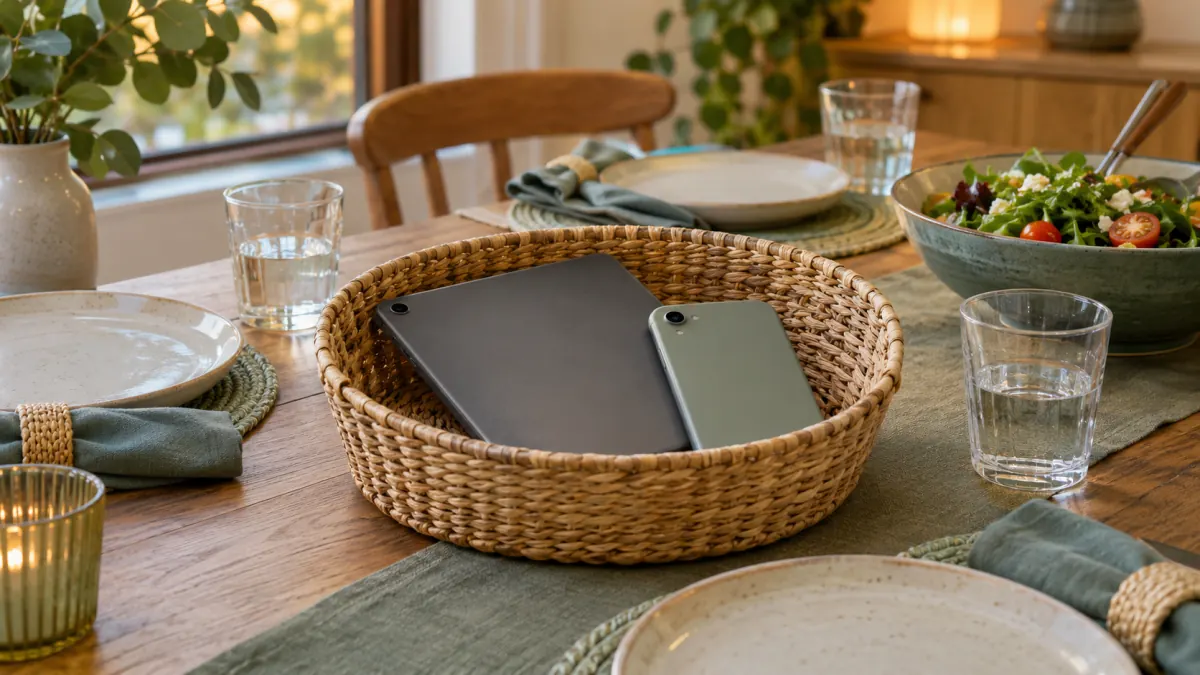
Screens behave a lot more like food than like poison. Nobody asks whether eating is good or bad; we ask what is on the plate, how much, at what time of day, and what it is replacing. The same questions work far better for phones, tablets, consoles and laptops than a single number of “allowed” minutes. A video call with grandparents in another country is not the same as two hours of autoplay at midnight, and a teen researching a school project is doing something different from one scrolling in bed until 1 a.m.
That said, the health effects of heavy or badly timed screen use are real, and they show up regularly in a family doctor’s office: tired kids, sore necks, headaches, dry eyes, worsening mood and less time moving. This guide looks at what the evidence says, what Canadian guidance recommends for different ages, and how Stouffville families can set limits that actually hold up on a school night in September.
What the Canadian guidance says
Canadian recommendations come mainly from the Canadian Paediatric Society and the Canadian 24-Hour Movement Guidelines. In plain language:
| Age | General guidance |
|---|---|
| Under 2 | Screen time is not recommended, except for video chatting with family |
| 2 to 4 | No more than about one hour a day of sedentary screen time; less is better, ideally with an adult watching along |
| 5 to 17 | No more than two hours a day of recreational screen time, plus plenty of daily activity and enough sleep |
| Adults | No fixed limit, but adult guidelines suggest keeping recreational screen time to about three hours or less a day and breaking up long periods of sitting |
These numbers refer to recreational time. Homework, school assignments and many work tasks are counted separately, although the effects on posture, eyes and sitting time still add up.
It’s also worth knowing that most families exceed these targets, especially in winter. The goal is not to feel guilty about every episode of a favourite show, but to notice when screens are crowding out the things that keep people healthy.
Five ways screens affect health
1. Sleep
This is the strongest and most consistent link. Screens interfere with sleep in several ways: the content itself keeps the brain alert, notifications interrupt sleep, and bright light in the evening can delay the body’s natural release of melatonin. Night mode settings help a little, but the bigger factors are timing and location.
Children and teens who keep a phone in their bedroom tend to sleep less. Since school-age children generally need nine to 12 hours and teens eight to 10, losing even an hour a night adds up to irritability, poorer concentration and more trouble getting up for the bus.
Practical targets:
- Turn screens off at least an hour before bed
- Charge devices overnight outside the bedroom, including parents’ phones where possible
- Use a basic alarm clock instead of a phone
2. Eyes
There are two separate concerns. The first is digital eye strain: dry, tired or burning eyes, blurry vision after long periods, and headaches. We blink less when focused on a screen, which dries the eye surface. The second is myopia (nearsightedness), which has become more common in children worldwide. Research suggests that a lot of close-up work combined with too little time outdoors increases the risk, and that daylight exposure appears protective.
For eye comfort, the 20-20-20 habit is easy to remember: every 20 minutes, look at something about 20 feet away for 20 seconds. For children, time outdoors, whether that’s a soccer field, a walk around Memorial Park or a trail in the Rouge, is one of the simplest protective steps. Children should have regular eye examinations with an optometrist; in Ontario, OHIP covers routine eye exams for children and teens up to age 19.
3. Posture, neck and hands
Looking down at a phone puts more load on the neck than holding the head upright, and hunching over a laptop on the couch or bed strains the upper back and shoulders. Repetitive thumb use and long gaming sessions can also make hands and wrists sore. Simple adjustments help: raise screens closer to eye level, use a proper chair and table for homework, take movement breaks, and avoid propping a tablet on the stomach while lying down.
4. Physical activity and weight
Screen time is often sedentary time. It’s not that screens themselves cause weight gain, but hours spent sitting replace hours spent moving, and snacking in front of a screen tends to be mindless. Kids aged five to 17 are advised to get at least 60 minutes of moderate to vigorous activity daily. Adults benefit from at least 150 minutes a week. In a Stouffville winter that can mean skating, the indoor pool or walking track at the Whitchurch-Stouffville Leisure Centre, or just a brisk family walk after dinner.
5. Mood, attention and wellbeing
This area is more complicated and still being studied. Some screen use connects people, especially those who feel isolated. But heavy social media use has been linked with poorer sleep, body image concerns, anxiety and low mood in some young people, particularly when it involves comparison, cyberbullying or late-night use. The relationship runs both ways: teens who are already struggling may also spend more time online.
For younger children, too much screen time, especially fast-paced content and background TV, has been associated with delays in language and difficulties with attention, likely because it reduces time spent talking, reading and playing with caregivers.
Signs screen use may be causing problems
Rather than counting minutes, look for these signals:
- Regularly going to bed late or being hard to wake for school or work
- Frequent headaches, eye strain or neck pain
- Big emotional reactions, such as anger or panic, when devices are removed
- Dropping activities, sports or friendships they used to enjoy
- Falling grades or trouble finishing tasks
- Secretive use, or use at night after everyone else is asleep
- Physical complaints like stomach aches or fatigue that don’t have another explanation
- In adults, feeling unable to cut back despite wanting to, or screens affecting work, relationships or sleep
If several of these apply, it may be time for a family conversation, and possibly a medical one.
Building a family media plan that works
Rules imposed in the middle of an argument rarely last. A short written plan agreed on when everyone is calm tends to do better. Consider these elements:
- Screen-free zones. The dinner table and bedrooms are the most useful ones. A basket by the door where phones go during meals is low-tech and surprisingly effective.
- Screen-free times. The first hour after waking and the last hour before bed, plus family meals.
- Priorities first. Homework, chores, outdoor time and activity happen before recreational screen time, not after.
- Content matters. Choose age-appropriate, high-quality shows and games. Co-watching with younger children and asking questions turns passive viewing into conversation.
- Parental controls and privacy settings. Useful, but no substitute for talking about online safety, sharing images and what to do if something online feels wrong.
- Adults model the behaviour. Children notice when parents scroll during dinner. If the rule applies to them, try to make it apply to you.
- Review it. A plan that suits a seven-year-old won’t suit a 13-year-old. Revisit it at the start of each school year.
For teens
Teens generally respond better to negotiation than to bans. Explaining the sleep science, giving them ownership of their own limits, and agreeing on a few non-negotiables, such as no phones in the bedroom overnight, usually works better than strict minute counts. Our article on teen health visits explains how private conversations with a doctor can help young people talk about things like mood, sleep and online pressures.
For adults working from home
Many people in Stouffville now work at a laptop all day and then unwind with a phone or TV at night. Set up a proper workstation, schedule short breaks every hour, and protect a screen-free evening routine if your sleep is suffering. Persistent neck pain, headaches or wrist symptoms deserve assessment rather than another ergonomic gadget.
When to see a doctor
Screen habits are a reasonable thing to raise at any check-up, and Stouffville parents ask about them more often than you might think. Book an appointment if you notice:
- Ongoing headaches, especially if they wake your child from sleep, come with vomiting, or are getting worse
- Vision changes, squinting or holding devices very close (an optometrist visit is also a good idea)
- Sleep problems that persist despite better habits
- Signs of anxiety, depression, social withdrawal, or self-harm
- Concerns about speech or development in a toddler
- Worries about compulsive gaming or online use in a teen or adult
A doctor can look for other causes of symptoms, check growth and development through children’s health visits, and talk with teens through adolescent healthcare appointments. For headaches or eye strain, a full history often reveals patterns, like screens late at night, skipped meals or too little water, that can be adjusted.
Urgent concerns
If a young person talks about suicide or self-harm, or you are worried about their immediate safety, call or text 9-8-8 any time, or call 911 in an emergency. Kids Help Phone is also available for children and teens. Online exploitation or threats can be reported to police.
Is educational screen time okay?
Do blue-light glasses help?
Talking it over at HealthSmart
If screens seem to be affecting sleep, mood or physical health in your household, our team can help sort out what’s going on and what to try next. Book a visit for yourself or your child at our Stouffville clinic, or browse our services to see the full range of family care we offer.
The information here is general in nature; please speak with a health professional about your own family’s needs.